How to organize a family with tududi

Photo by Vitaly Gariev on Unsplash
A family is not a team.
Nobody in a house has a role, a sprint or a standup. There is no manager, although there is a lot of managing. There are bills that arrive on the same day every month, forms that the school sends home in a backpack and that someone has to sign, plants that die when nobody waters them, and a ferry to Heraklion that sells out if you book it in June.
Most of this lives in one head. Usually the head of whoever noticed first. The rest of the house finds out when it's late.
I spent an evening reading what parents write about it on Mumsnet and r/Parenting. The stories are boringly similar. A birthday next week that won't occur to the other parent until someone asks them for something. A school form that takes five minutes to sign, once someone has found it in the backpack and remembered when it's due. A Wednesday early release that nobody wrote down, and a seven year old waiting at the gate. And the sentence that shows up in almost every thread: they would have done it, if I had asked.
That last one is the real problem. Asking is the job. By the time you ask, you have already noticed, decided when, and turned it into a request. The other person gets the easy five minutes at the end.
A tool can't notice for anyone. What it can do is take the thing out of one head, once, and put it where the people it concerns can see it.
I didn't want a family app. Those come with chore charts, points, badges and a cartoon mascot that congratulates a nine year old for taking out the recycling. Most of them also give everyone the same view of everything, so the eight year old sees the electricity bill and the partner sees forty chores they never agreed to. I wanted the tool I already use for my own work to hold the house as well, without becoming something else.
Everything below runs on tududi Cloud. You sign up at tududi.com, and that account becomes the one that holds the house. No server, nothing to install.
The family in the screenshots is invented, so no real one ends up in a blog post: Alex and Maria Parker, two kids, Emma and Leo, and Grandma Helen, who picks the kids up on Tuesdays and Thursdays. Alex signed up.
Start With People, Not Projects
Open People from the sidebar. Everyone you can hand a task to lives here, and there are two kinds of entries.
A member has an account. They can sign in, see what is theirs and tick it off.
A contact is someone you only keep track of. A grandparent, a plumber, the football coach. A contact is a label on a task, nothing more. Nobody is notified, nothing is shared, and the notes you keep on a contact stay yours.
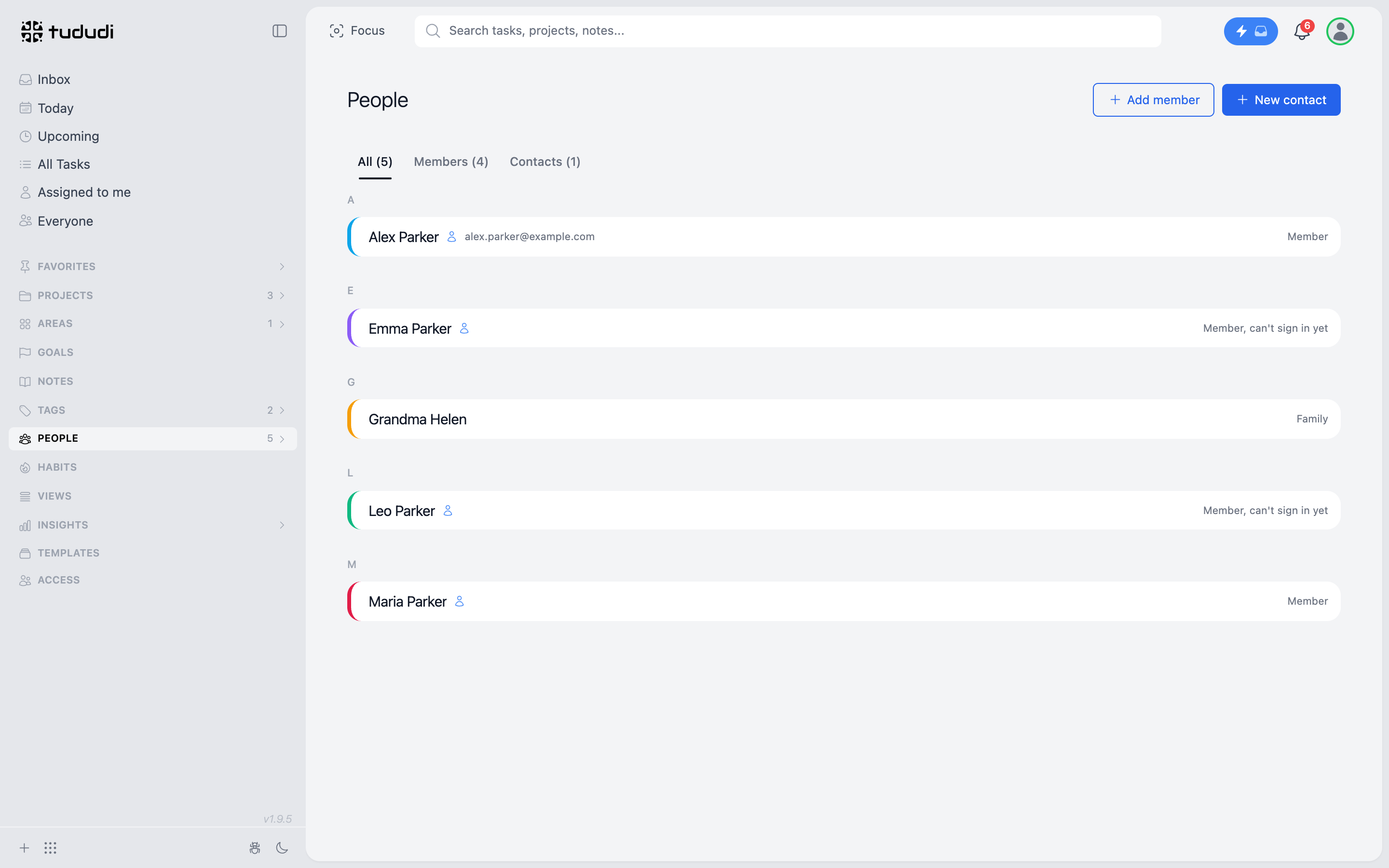
Grandma Helen is a contact. She will never open tududi, and she doesn't need to. When Alex gives "Pick up the kids from football" to her, it doesn't buzz her phone. Someone still has to call her. But everyone can see that the job is covered, and by whom.
Members Without an Email
Add member asks for a name, a surname and an email that is optional.
With an email, the person gets an invitation. Without one, they are added as a member who can't sign in yet. That's the kids. A child doesn't need an inbox to have tasks, and nobody should be creating Gmail accounts for an eight year old so that he can be reminded about spelling words.
They still get their own page, their own tasks and their own colour. When one of them is old enough to tick things off, open their page and create a sign-in link.
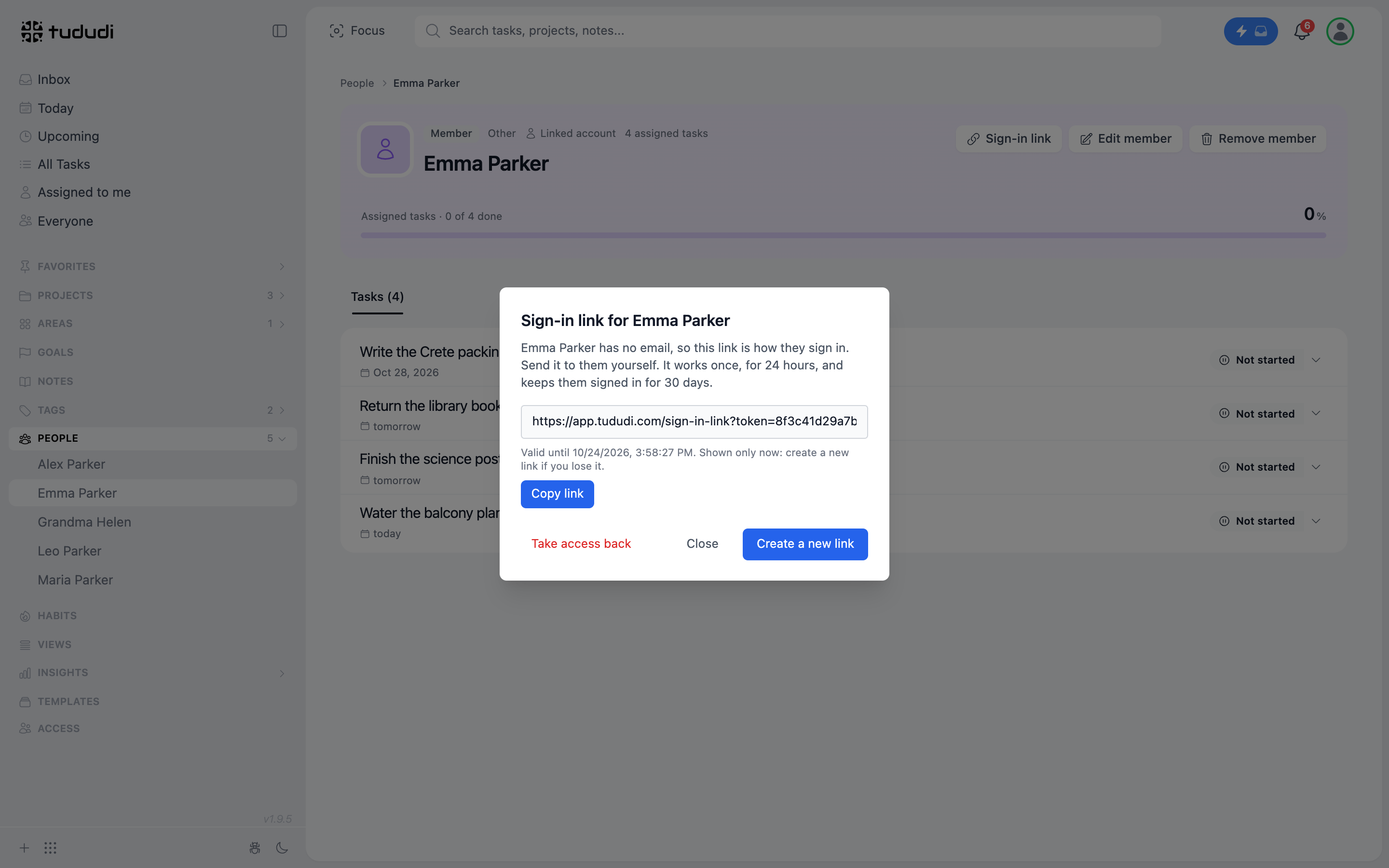
You send the link yourself, in a chat or on the tablet in the kitchen. It works once, for 24 hours, and keeps them signed in for 30 days. Opening it only asks a question, so the preview a chat app makes of the link doesn't use it up. The button does.
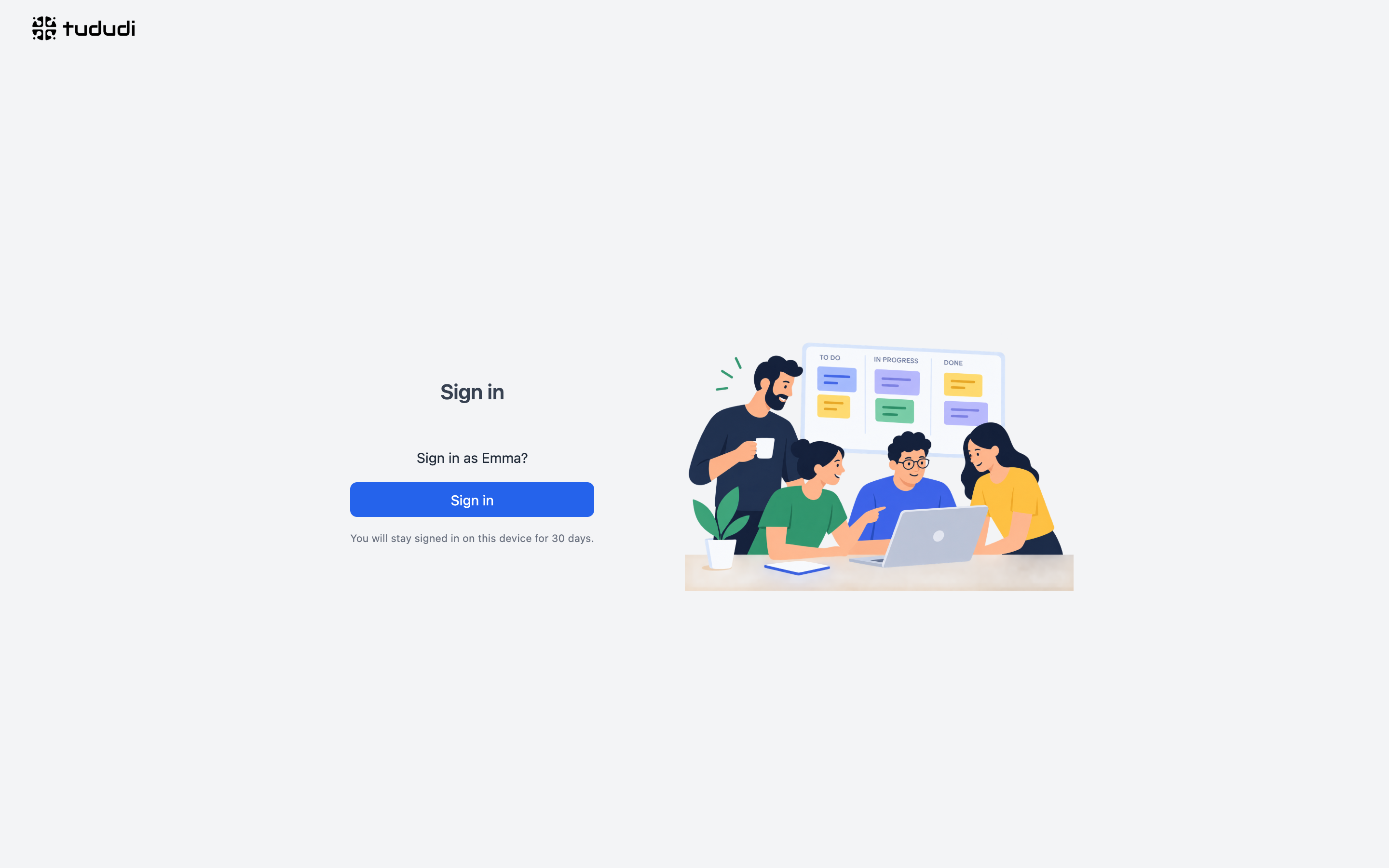
Take access back signs them out everywhere. No password to forget, nothing to reset.
Two Admins, One Bill
Whoever signs up is the admin of the household account. If that were the only admin, one parent would run the house in tududi and the other would be a guest in it. That's exactly the shape I was trying to get away from.
So a member can be an admin too. When Alex adds Maria, Alex picks Admin as her role.
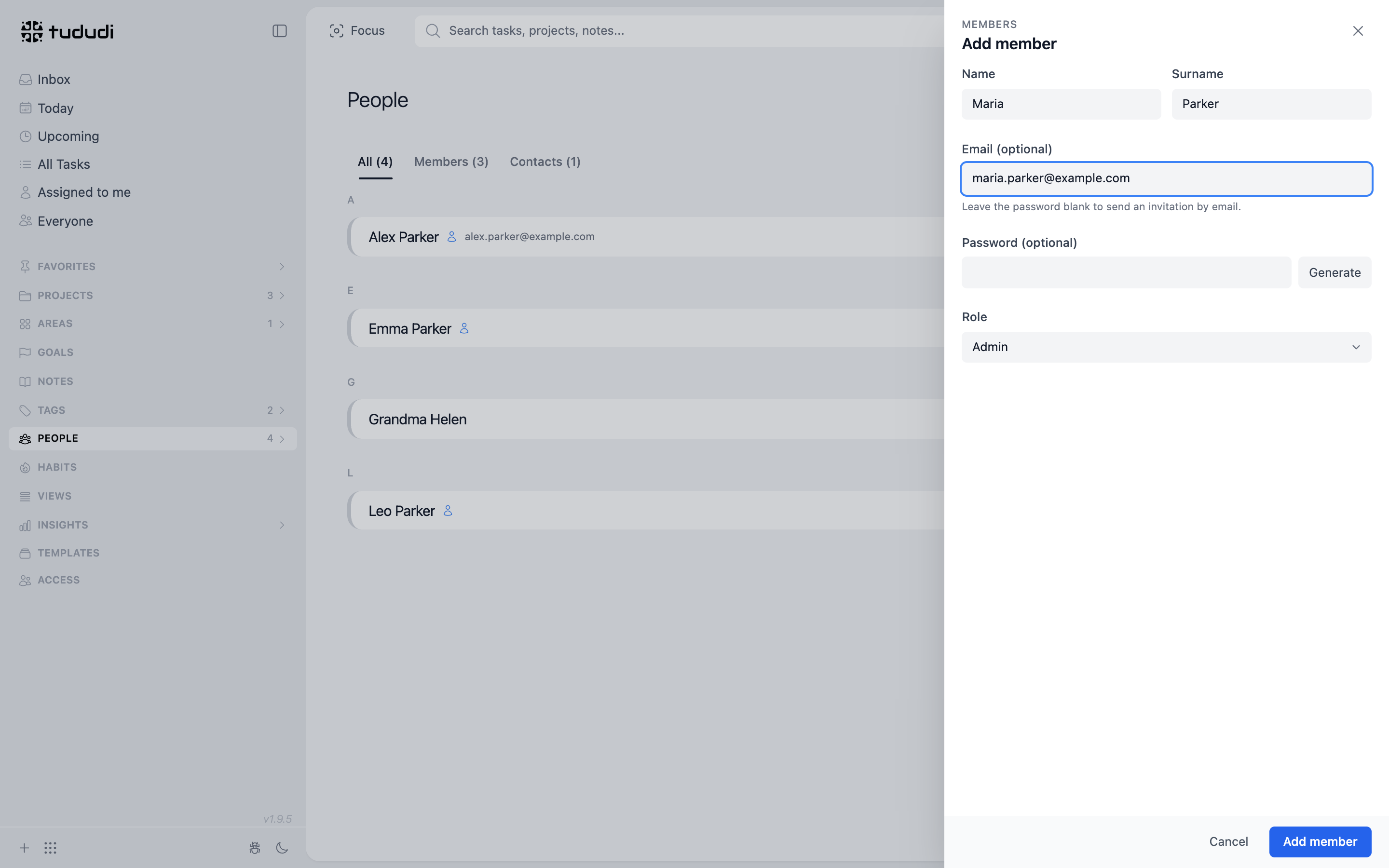
Now Maria can add the kids, make their sign-in links, fix a name, and open Access to see who is in the account. Billing stays with whoever signed up: every member is a seat on Alex's subscription, whichever admin added it, and nobody can remove Alex or change Alex's email.
Admin is about running the account, not about reading everything. Maria sees Alex's tasks only where they share a project. The kids stay users. Leo doesn't need to be able to add members at eight.
One Area, a Few Projects
The structure is small on purpose. One area, Family, and three projects inside it:
- Household: bills, repairs, the boiler, the vacuum bag nobody remembers to buy.
- School: forms, posters, meetings, swimming bags, early pickups.
- Summer trip to Crete: the ferry, the passport, the packing list.
A project per child is tempting. Don't. Children are people, not projects, and every person already has a page with everything assigned to them. Projects are for areas of work that outlive any single task.
The kids' chores don't go in a project at all. The plants, the recycling, the library books: a task with no project can be given to anyone in the house, and the child sees that one task without seeing the project around it.
They are also a good place to split the house. One mother on Mumsnet described how they do it: she owns school, doctors and clothes, her husband owns the dentist and swimming. That's a project list. Whoever owns School keeps it, the other gets read and write, and nothing is hidden from either of them.
Share What You Share
Alex and Maria both run the house, so Household and School are shared with her. Open the project, press Share, pick her and give her Read & write.
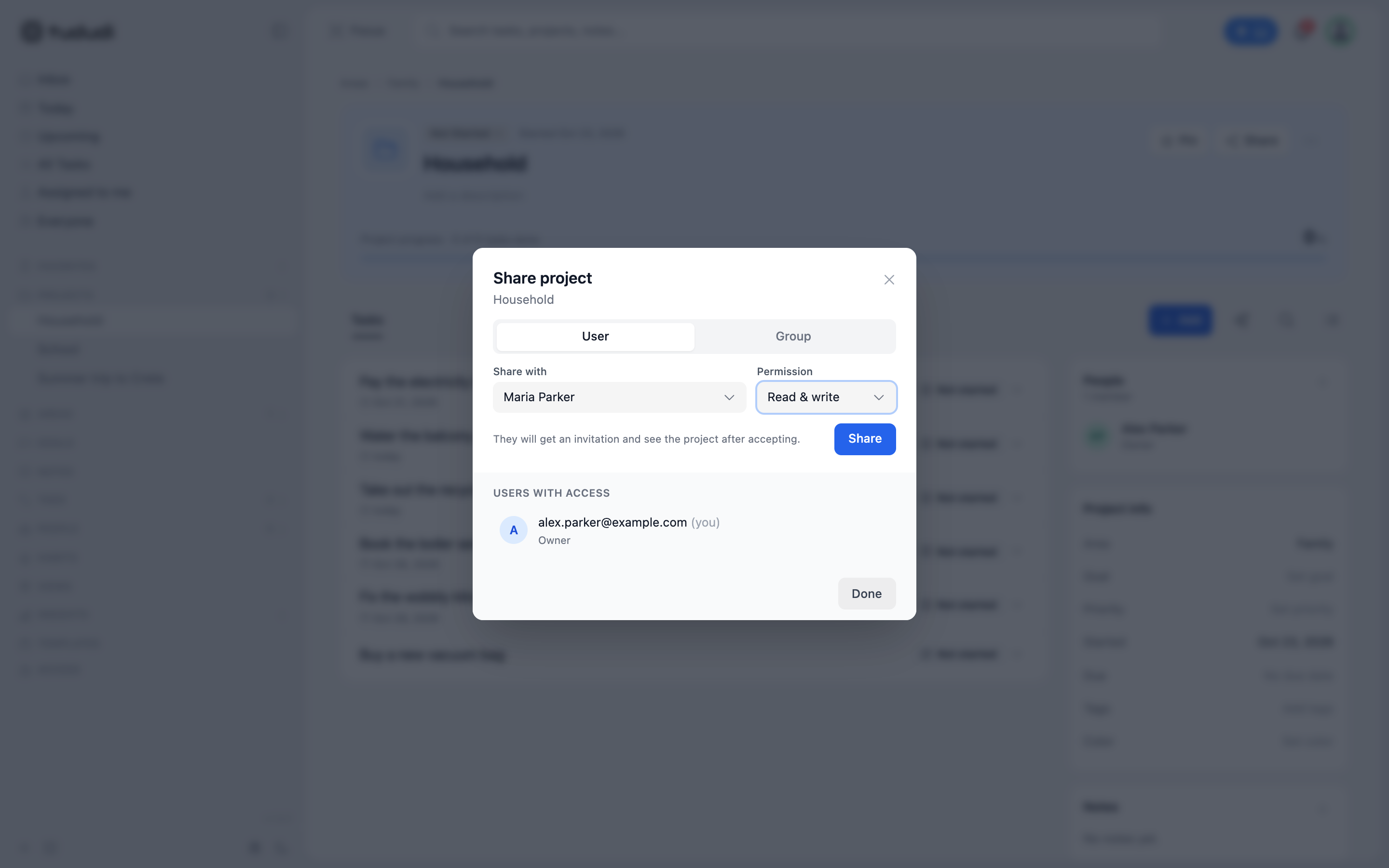
On Maria's side it's a notification with Accept and Decline. Accepting opens the project.
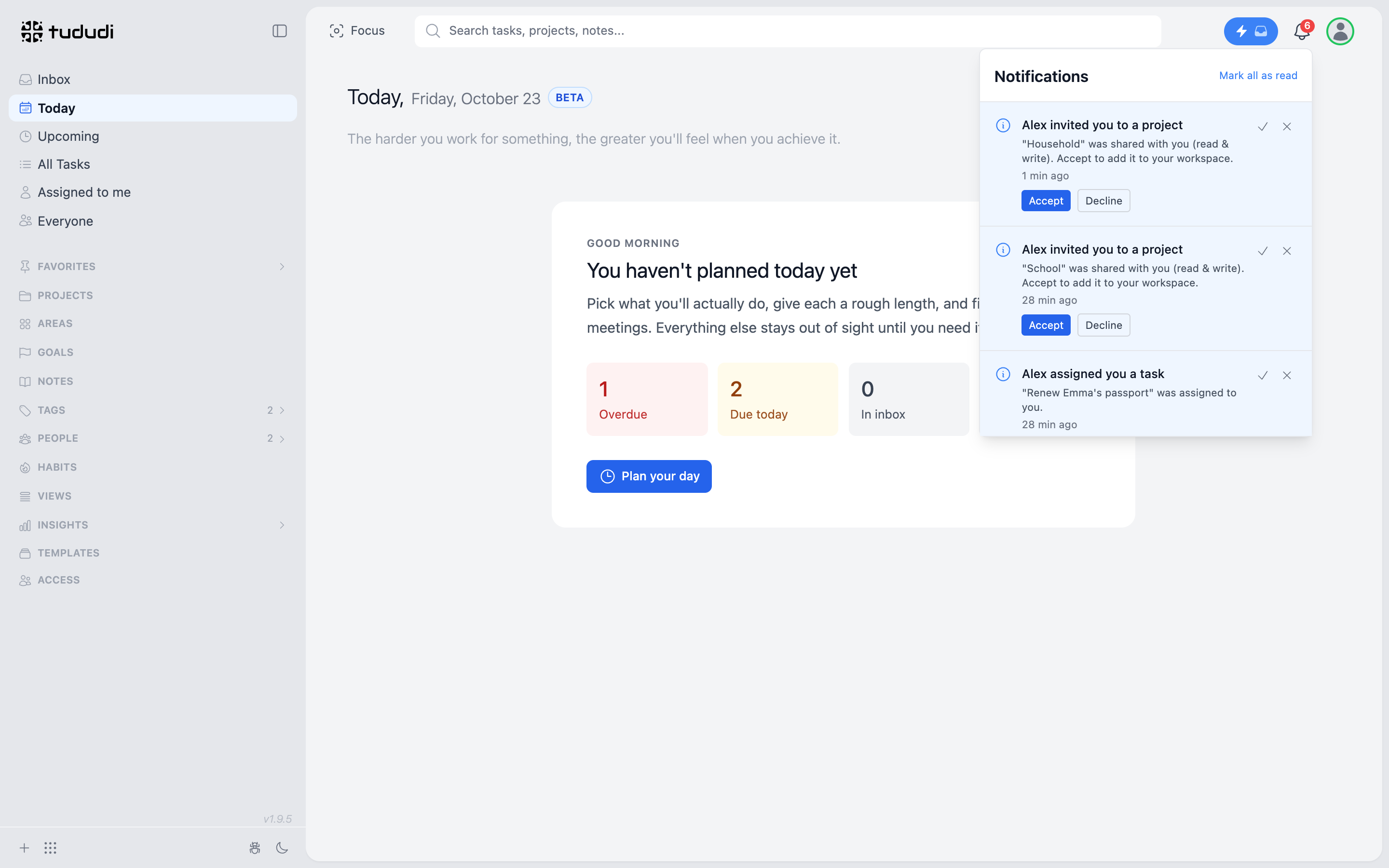
The summer trip stays with Alex until it is less of a mess. Sharing is per project, so the house can be transparent without everything being public.
Assign, Don't Remind
This is the part that changes the house.
Every task has an assignee. Open a task and pick a person.
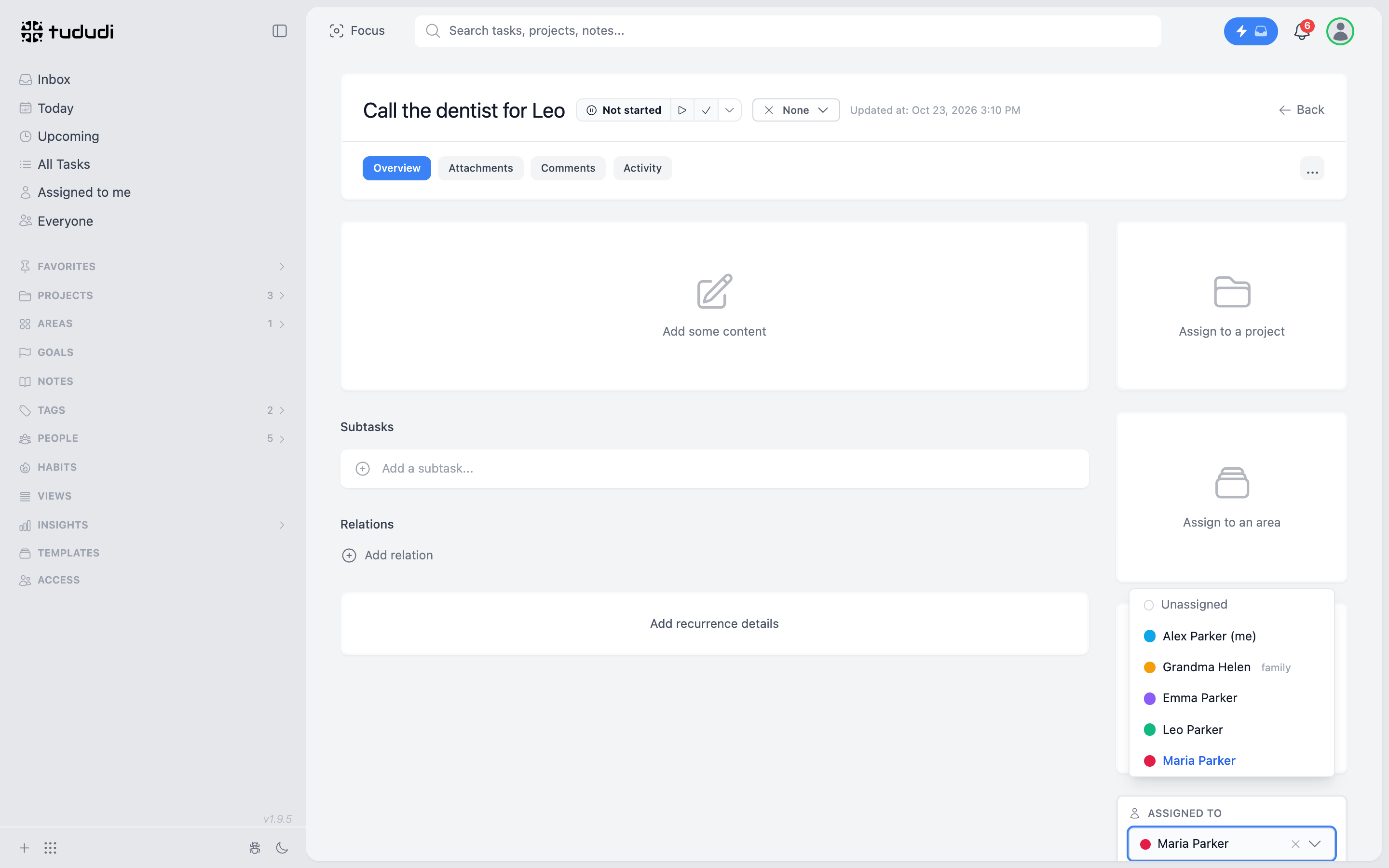
The list depends on where the task lives. A task in a project can go to the people that project is shared with, plus your contacts. A task with no project can go to anyone in the house. When you assign to a member they are notified, and the task lands in their Assigned to me.
The faster way is the Add box. Type the task as you would say it:
Pick up Leo at 12:30 on Wednesday, early release @"Grandma Helen" +School
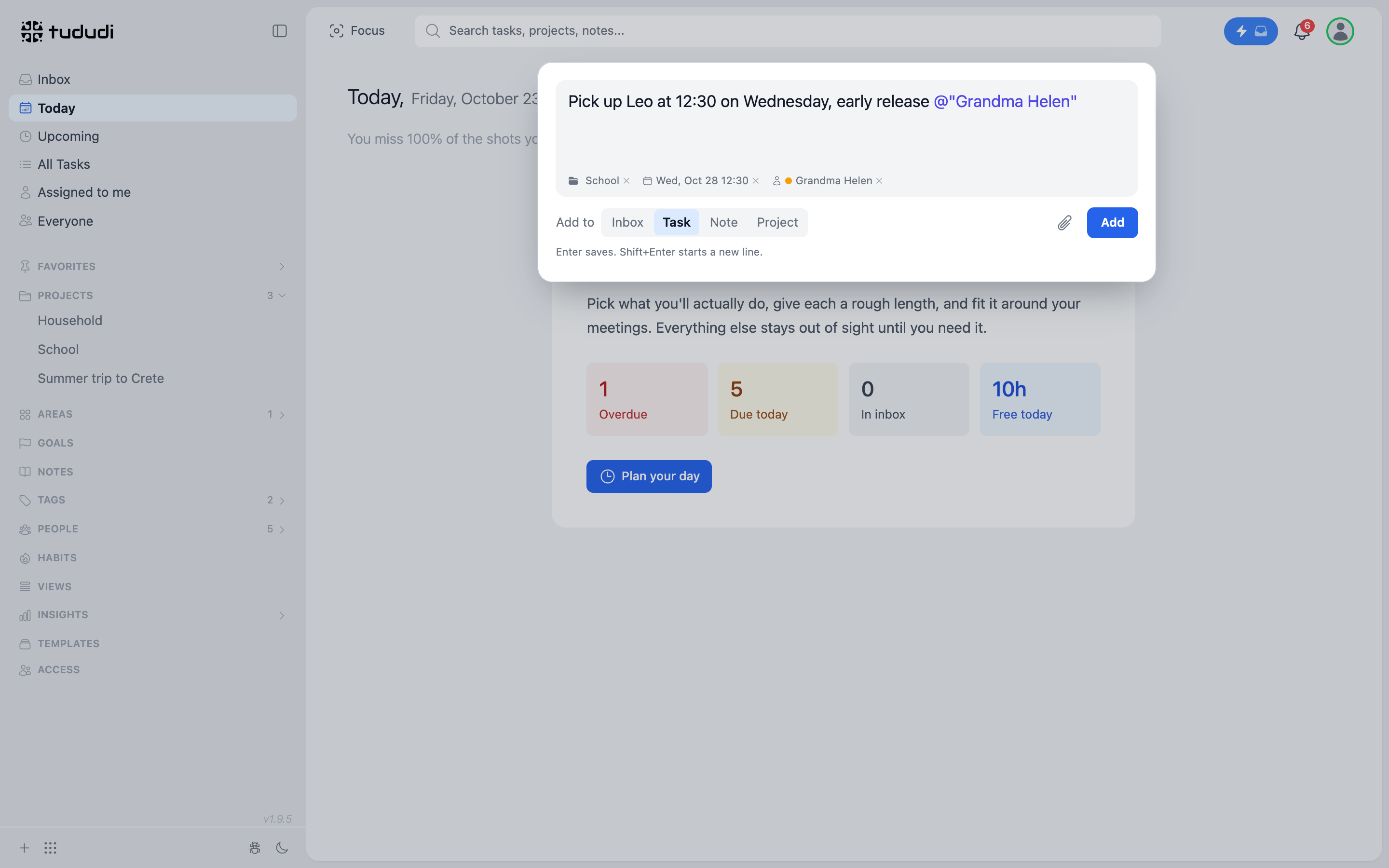
Type @Gra and pick her from the list, +Sch for the project. "Wednesday" becomes the due date, and all three show up as chips before you press Enter. Choose Task under Add to and it is a task straight away. Leave it on Inbox and it waits there until you sort it.
This doesn't fix noticing. Someone still has to read the school email. But whoever reads it writes it down and gives it away in the same sentence, and then it's out of their head. Alex sees the car needs a wash → types it on the phone with @Maria → it's in her list. Nobody had to remember to tell anyone.
Reminding is a job. Assigning is a sentence.
What Emma Sees
I signed in as Emma to check. She sees her four tasks and not one thing more. No electricity bill, no projects, no parent teacher meeting.
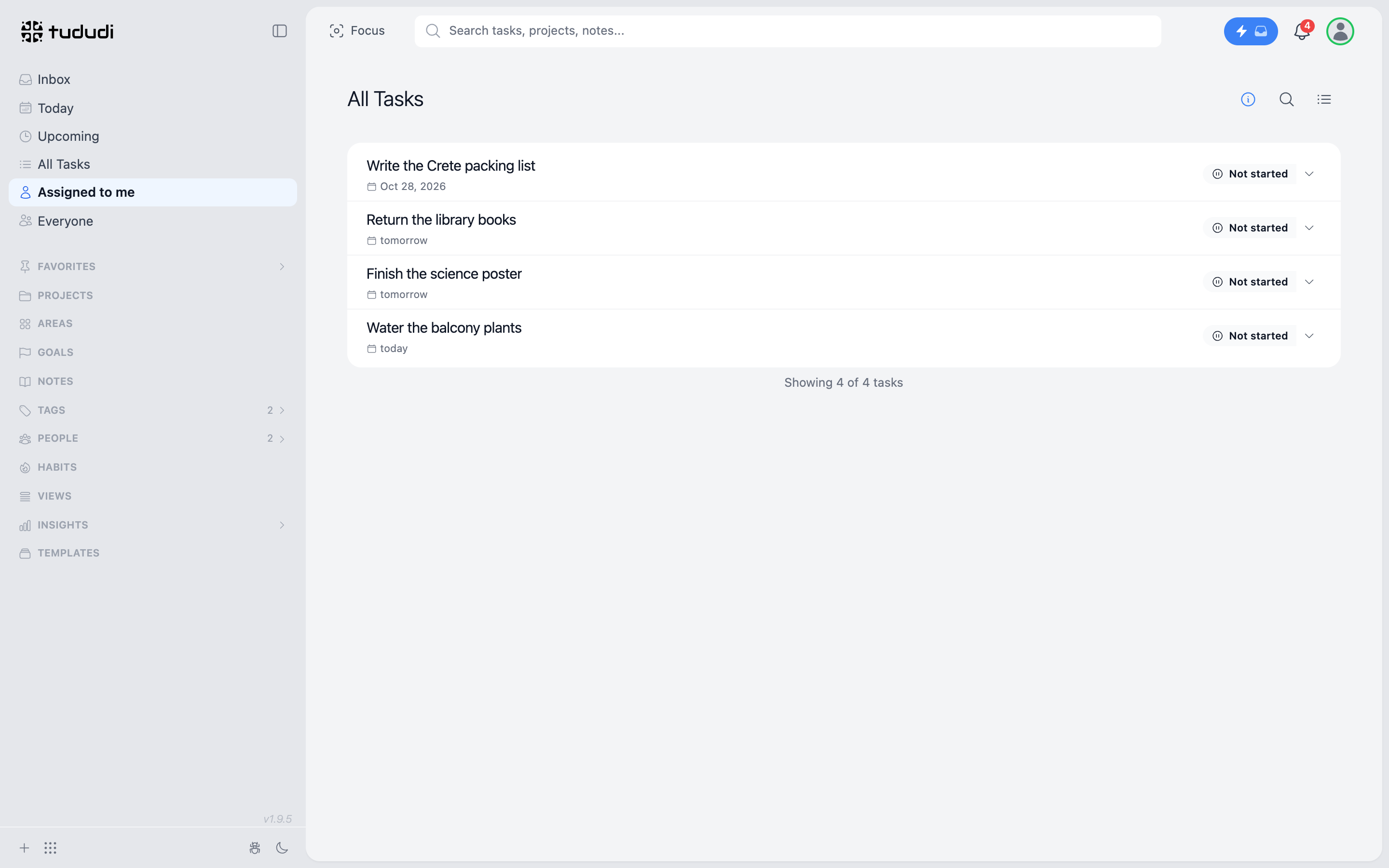
That's the whole interface for a nine year old. A short list, a circle to tick.
The Everyone Board
Once you share with someone, Everyone appears in the sidebar.
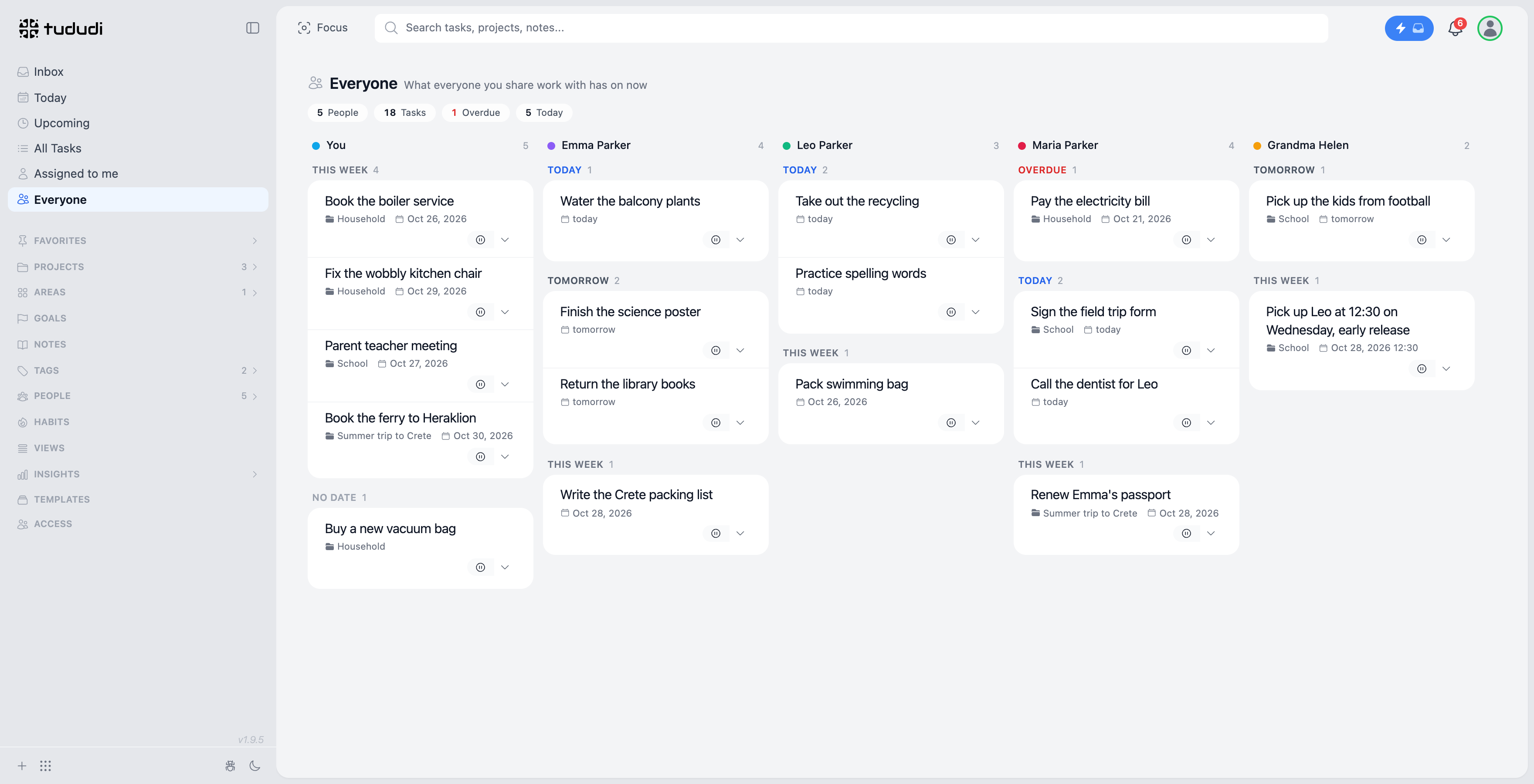
One column per person. You first, then the members, then any contact with tasks in a shared project. Each column is split into Overdue, Today, Tomorrow, This week and No date. Things due further away stay out of sight until they get closer.
This is the screen for Sunday evening. Not to check on anyone. To see whether the week is balanced. If Maria's column has the overdue bill, the field trip form, the dentist and the passport, and Alex's has a boiler and a chair, the board says it without either of them having to. And Wednesday's early pickup sits in Grandma's column, so nobody stands at the gate wondering who was supposed to come.
You can open and complete tasks from it. Most weeks nobody does. Looking is enough.
One Account, Two Lives
The house and the job live in the same tududi. That was the point, and it's also the risk: on a Tuesday afternoon the boiler service has no business sitting next to a deadline at work.
The Focus chip at the top fixes that. Pick the Family area, optionally a project or a few tags, and Today, Upcoming, Tasks, Projects, Notes and search show only that. Anything you add while it's on gets that project and those tags.
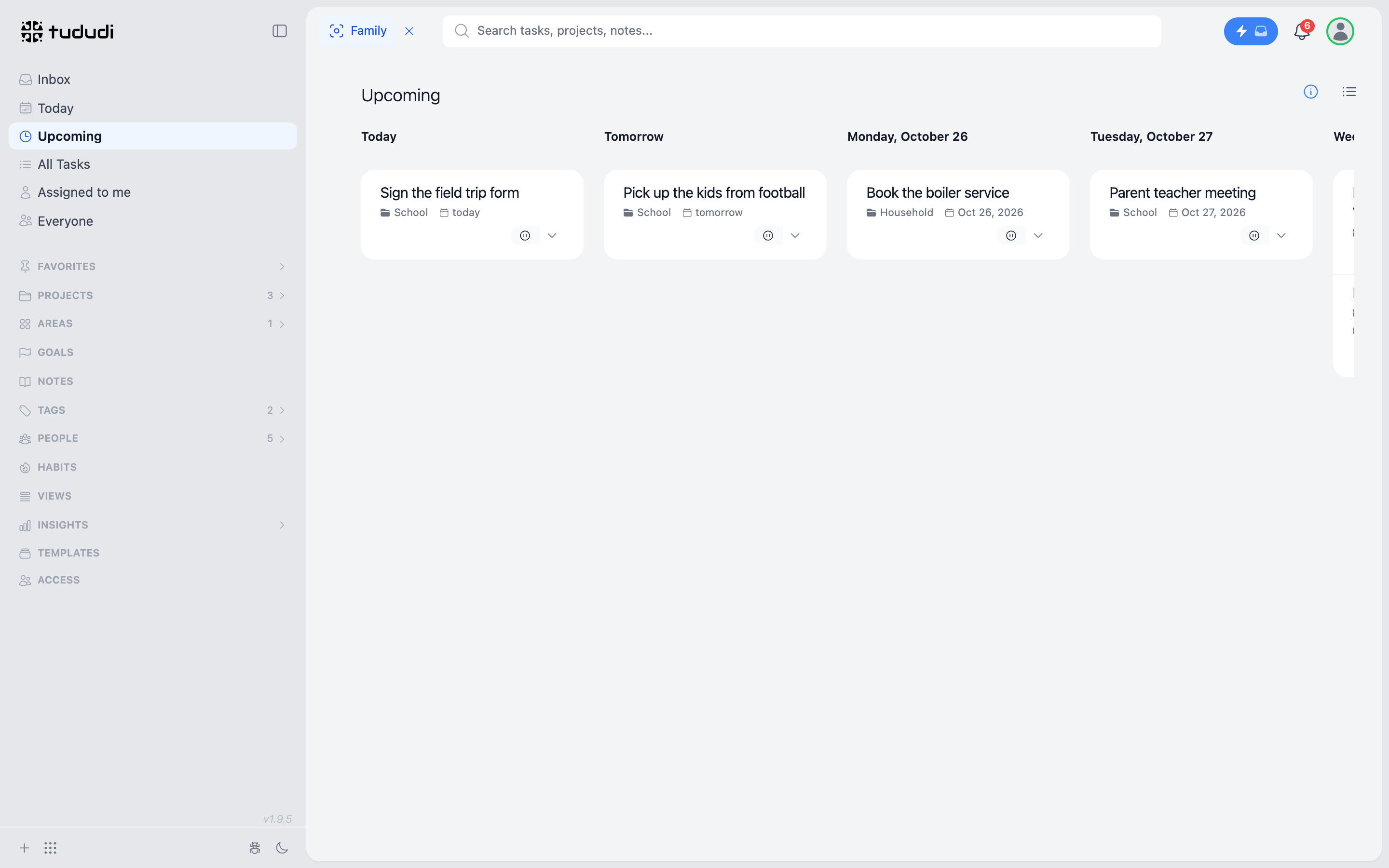
Clear it and the rest comes back. Nothing moved, nothing was archived. It's a filter on what you look at, not a second account.
What Is Left Out
No points. No streaks for chores. No leaderboard between siblings.
Recurring tasks work for the house the same way they work for anything else: the recycling every Monday, the plants every evening. Habits are there if someone wants to track their own reading or practice. But tududi doesn't turn the family into a game, because the moment it does, the game becomes the work.
Getting the House In
Every new tududi Cloud account starts with a 7-day free trial, no card needed, and the trial already lets you add one member. Enough to bring in your partner and see whether the house fits.
After that it is €5 a month per person, or €50 a year at the early bird price. You pay for yourself and for each member you add, up to ten. The child without an email counts the same as the partner with one, because they get the same column. There is a 14-day money-back guarantee if it turns out not to suit you.
Sign up at tududi.com, add the people who live with you, and give the first task away.
The house doesn't need a system that demands attention. It needs one that holds the small things, so the people in it don't have to.