How to set up a scheme team in tududi
A developer doesn't work in departments. It works in schemes.
Every site gets its own team: a development manager, a structural engineer, a cost manager, someone on site. The team changes when the scheme moves from planning to construction, when someone goes on leave, when a new development manager starts on a Monday and needs to be across three schemes by Wednesday. Each change used to mean another round of "can you add me to that?". Someone always gets left out of one, and finds out in front of the lender's monitoring surveyor.
Groups are how tududi handles this. A group is a named list of people. You share a scheme with the group once, and everyone in it is invited. Add someone to the group later and they are invited to everything it already has. Take them out and they lose only what came through the group.
The company in the screenshots is invented: Northline Developments. Elena Marsh is the managing director and runs the account. Daniel Okafor is the structural engineer, Priya Nair the cost manager, Tom Becker the site manager. Three schemes sit in one area, Development pipeline: Harbour Street Offices on site, Riverside apartments at tender, and Mill Lane housing going in for planning.
Today Marco Rossi starts as development manager on Harbour Street.
Four steps: add Marco, make a group for the scheme, put the team in it, share the scheme with the group.
Access Is Where the Team Lives
Open Access from the sidebar. On tududi Cloud the person who signed up sees it, and so does anyone they make an admin. On a self-hosted tududi it's the instance admins.
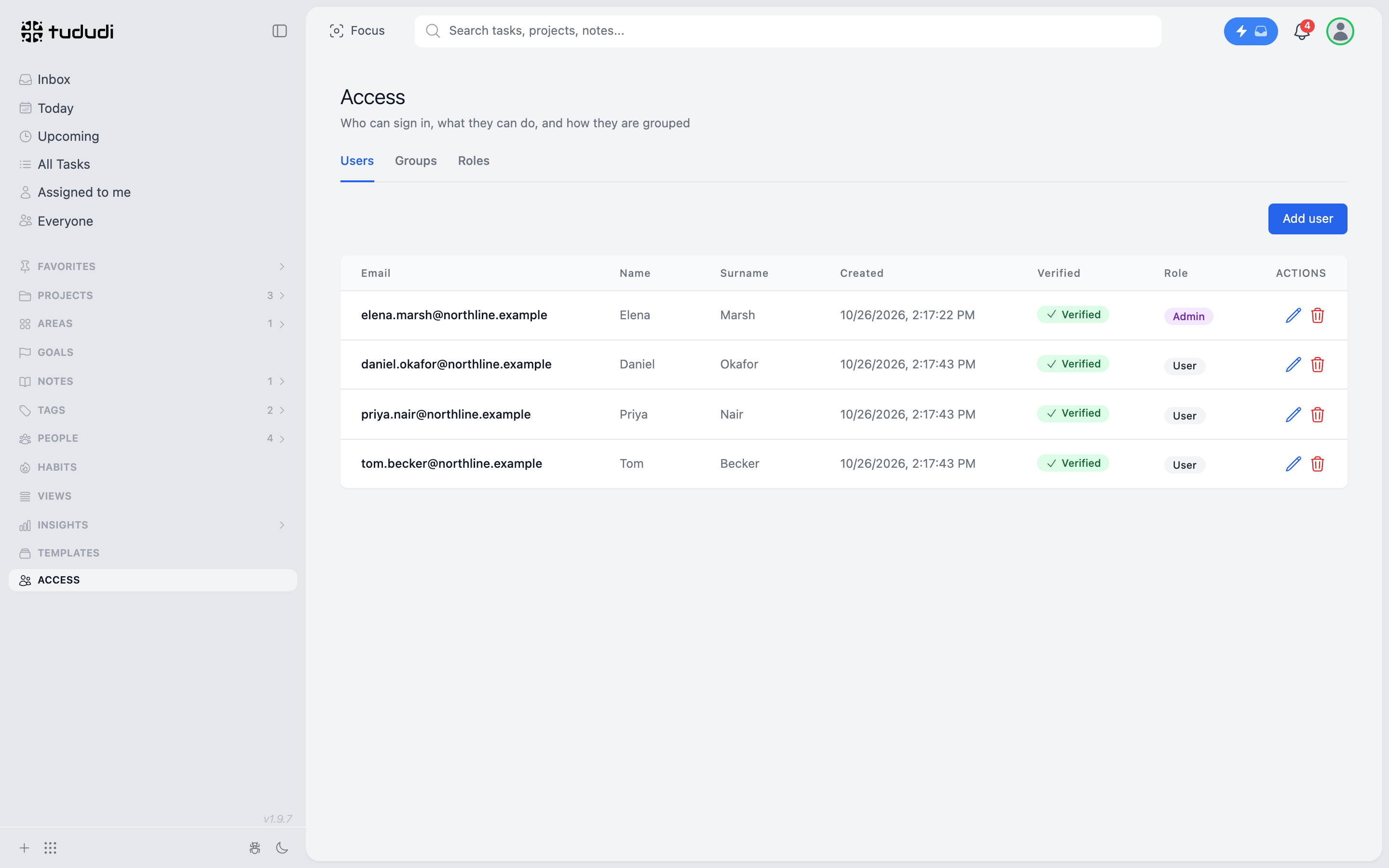
Users is who can sign in. Groups is how they are bundled. Roles is what each kind of user is allowed to do.
Add the New Hire
Press Add user. An email, a name, a surname, a password and a role.
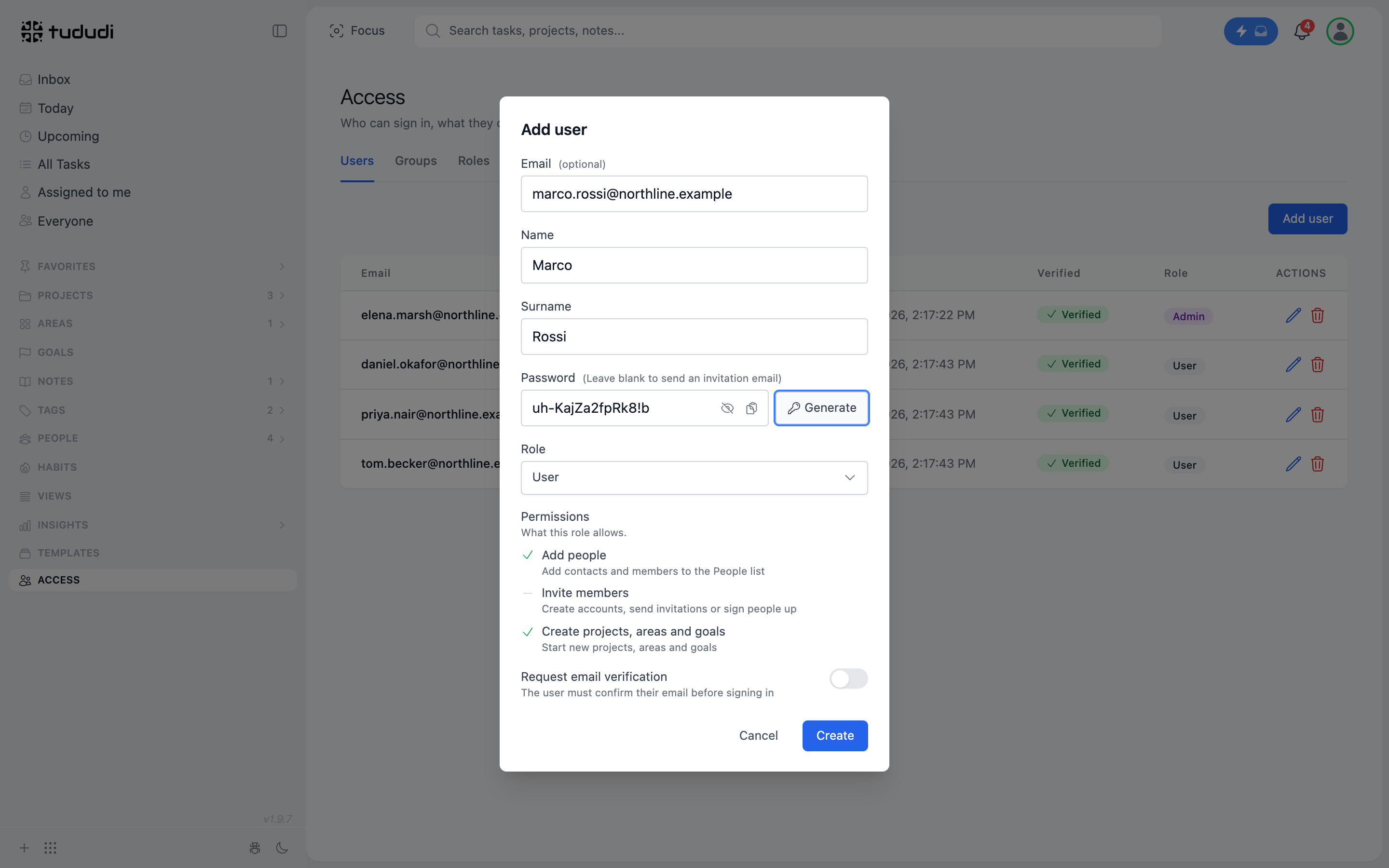
The password is optional, and this is the one choice that matters.
Leave it empty and Marco gets an invitation email. He sets his own password from the link, and the link confirms his address at the same time.
Fill it in (or press Generate) and he can sign in straight away. That's the one for the first morning, when he is sitting at the desk next to yours.
Leave the role on User. A development manager needs his schemes and his tasks. He doesn't need to add people to the account or change their roles. If he should, there is Admin, and he can do both, but billing stays with whoever signed up.
Press Create and he is in the table.
One Group per Scheme
Switch to Groups and press Add group. A name and a short description. That's all a group is.
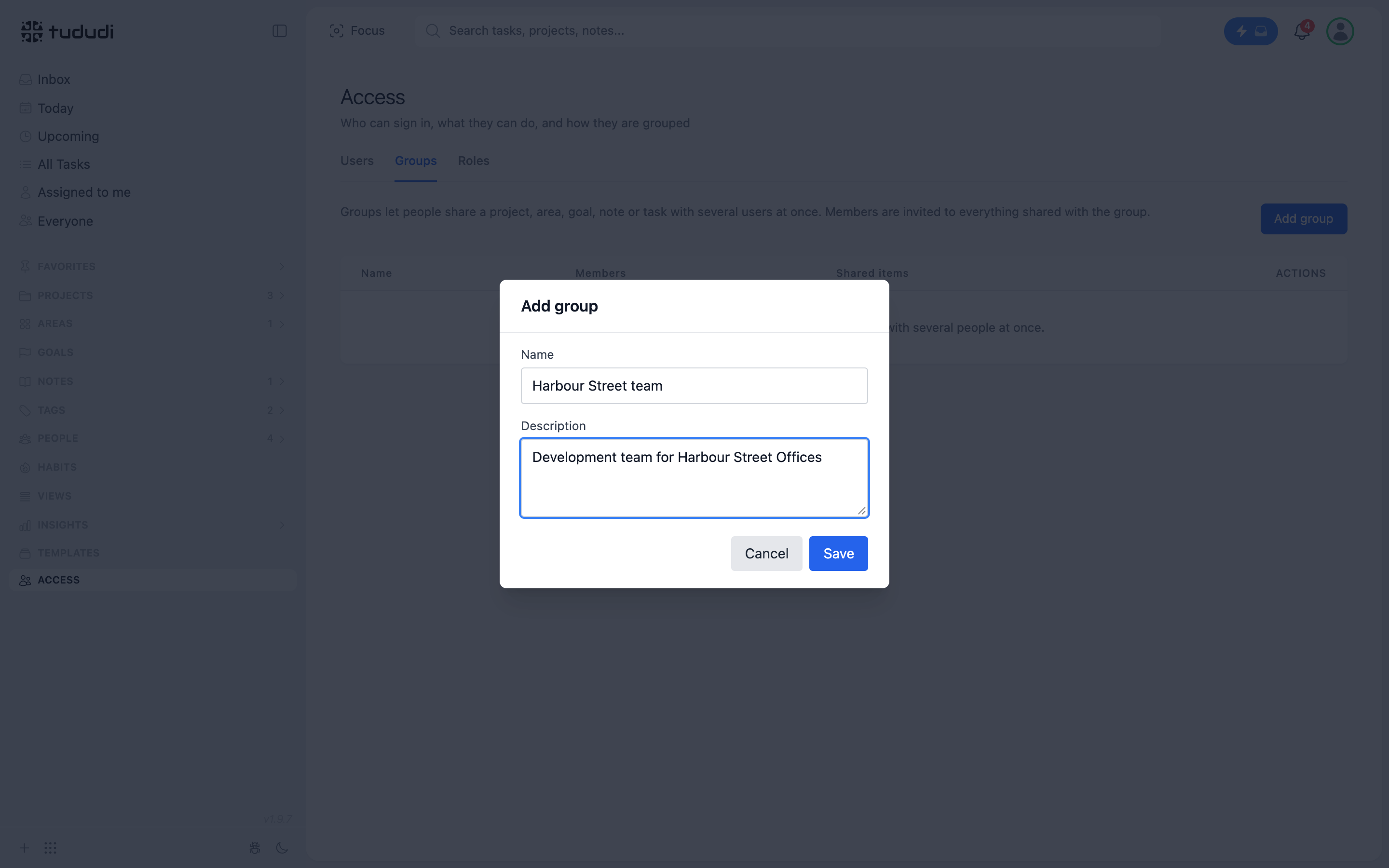
The obvious way to use groups is one per scheme: Harbour Street team, Riverside team. It's also the most useful, because it matches how the work is actually staffed. Some companies will prefer one per discipline (Development, Cost, Construction) or one per office. Groups don't care. A person can be in as many as they need.
On tududi Cloud a group belongs to your account. Nobody outside the company can see it, pick it or join it.
Put the Team In
In the group's row press the person icon, Manage members. Search by name or email and press Add next to each person.
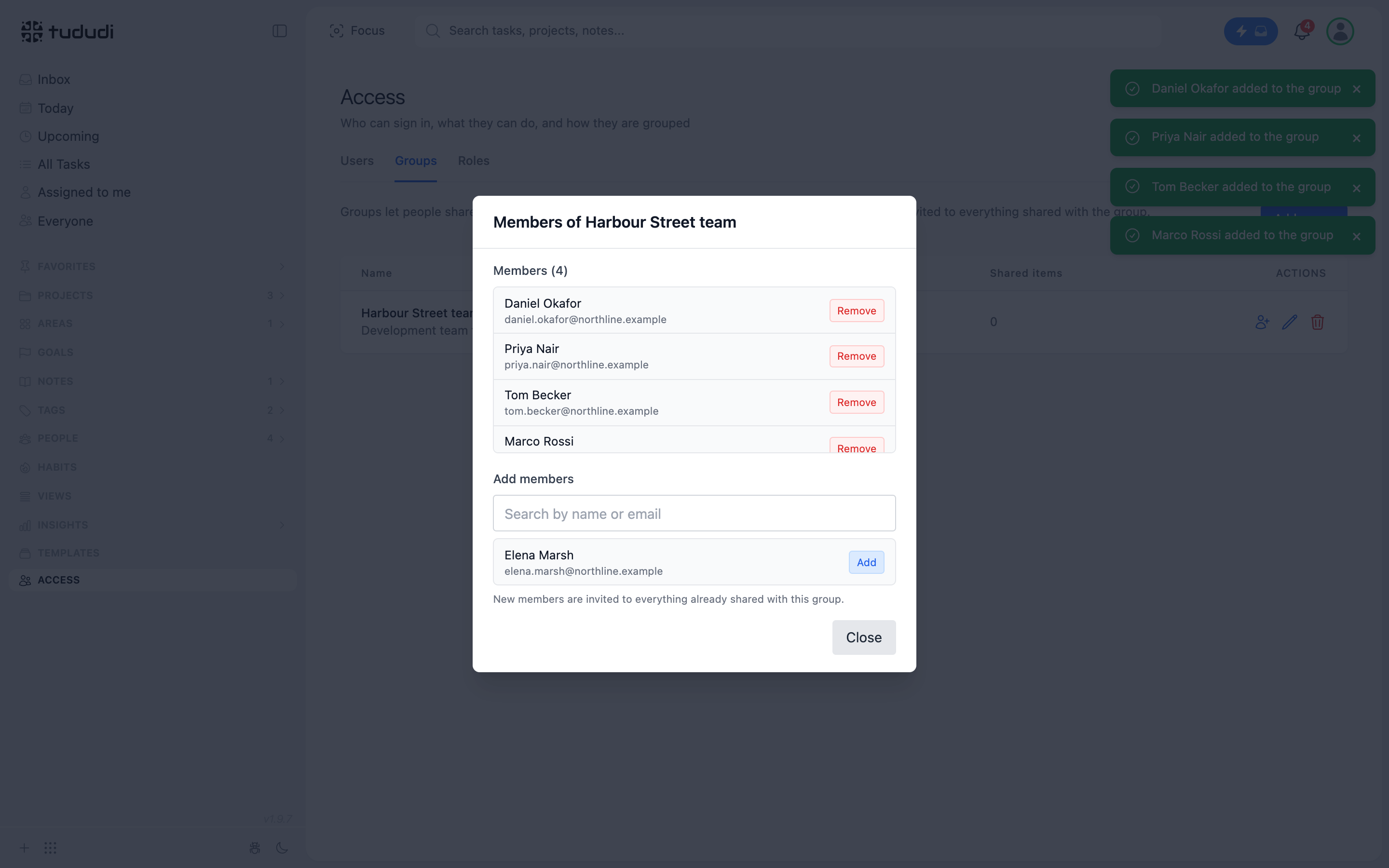
Elena isn't in the list, and doesn't need to be. She owns the scheme. An owner never needs an invitation to her own projects.
The line under the search box is the part that saves the phone calls: new members are invited to everything already shared with this group. When Riverside goes on site and a second site manager joins, you add one name here and nothing else.
Share the Scheme, Not Each Person
Open the project, here Harbour Street Offices, and press Share. Once the account has a group, the dialog shows a User | Group switch.
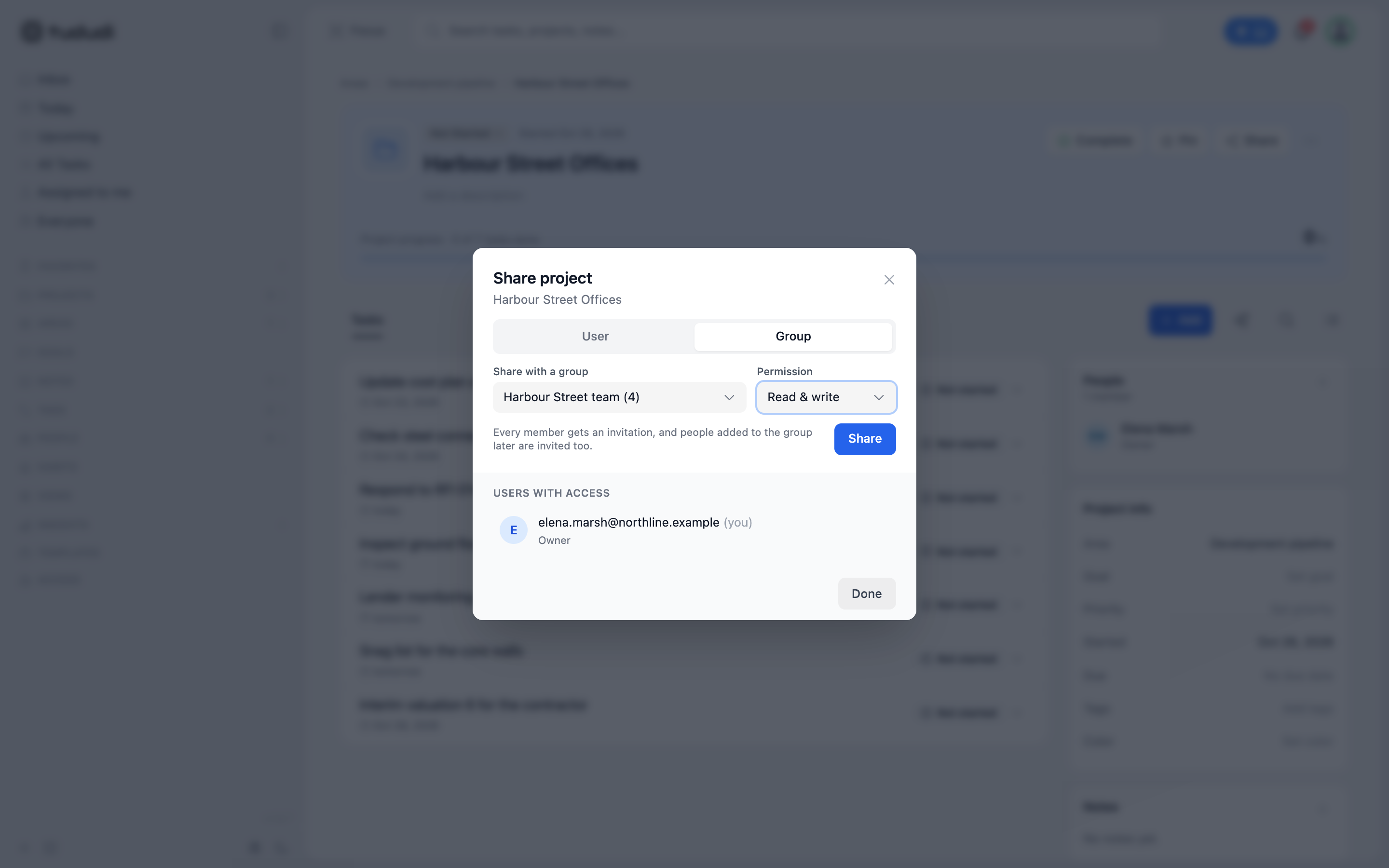
Pick Group, choose Harbour Street team (4), set the permission and press Share. Read only lets them follow the scheme. Read & write lets them add tasks, comment and close things out. For the people doing the work it's read and write.
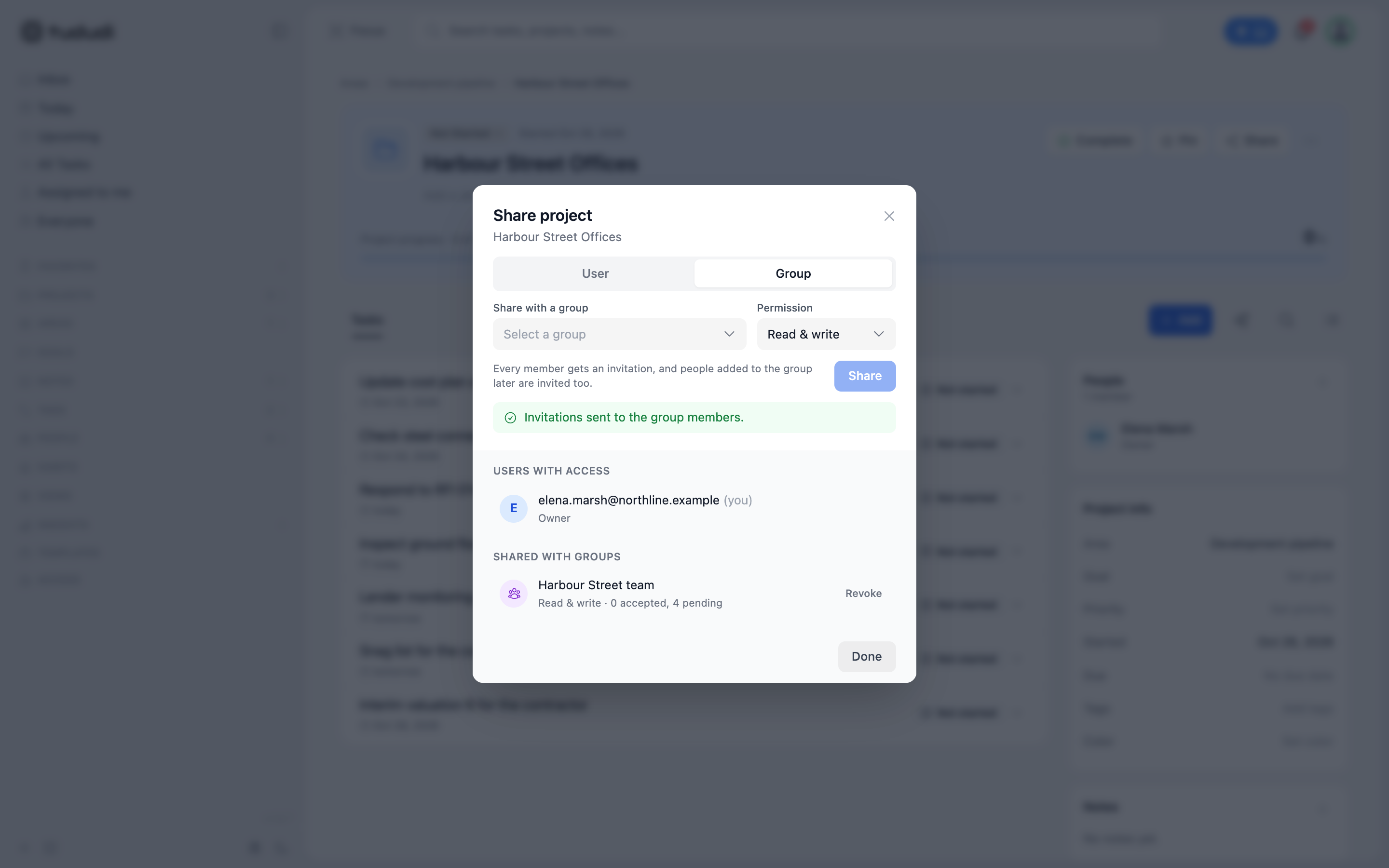
The dialog now lists the group under Shared with groups, with how many have accepted and how many still have to answer. Each person gets an invitation with Accept and Decline, the same as a direct share. Nothing appears for them until they accept.
It works the same for the other things you share. Share the Development pipeline area with a group and every scheme inside it comes along, including the sites you buy next quarter. Share a single note, the board paper or the planning strategy, and only that note goes.
Revoke takes the group's access away in one click. Deleting the group does the same for everything it was given. The projects themselves are untouched, and so is anything you shared with someone directly.
The Team Board
Every group has its own page. Members find it at the top of Everyone in the sidebar, and admins can open any group in their account.
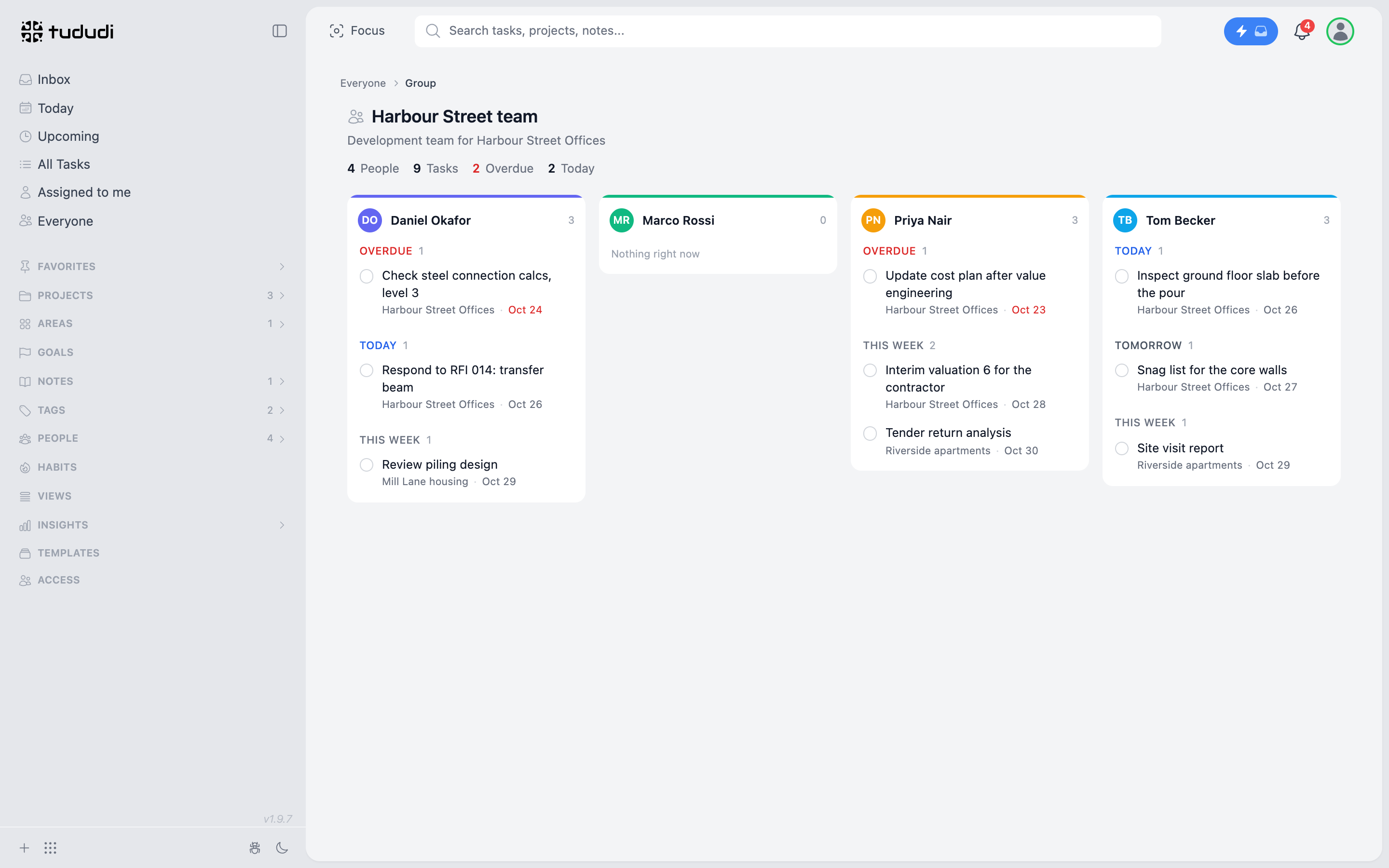
One column per member, split into Overdue, Today, Tomorrow and This week. Daniel has a steel connection check from Saturday that hasn't moved, and the RFI on the transfer beam is due today. Priya's cost plan update after value engineering is late, and the contractor's interim valuation is due Wednesday. Tom has the slab inspection before this afternoon's pour. Marco's column is empty. He arrived an hour ago.
This is not a status report. Nobody wrote it. It's what the team is already doing, laid out where the person running the scheme can see it before the Monday meeting instead of during it.
Each column shows only tasks the viewer can already read. A task in a project that hasn't been shared stays out of it, even here.
Being in a group also puts its members in each other's assignee list. Daniel can hand Marco a calculation check as a task outside any project, without anyone sharing a project with him first. Marco sees that one task and nothing around it.
What It Costs
On tududi Cloud every person with an account is a seat on the subscription of whoever signed up. €5 a month per person, or €50 a year at the early bird price, up to ten people on one account. A group costs nothing by itself. It's a list, not a plan.
The 7-day free trial lets you add one member. Enough to bring in a colleague, share a live scheme with them and see whether it holds up for a week of real work.
Sign up at tududi.com, add the people on your next scheme, and make the group before you share anything.
The overhead on a development was never the building. It was keeping track of who still needed access to it.